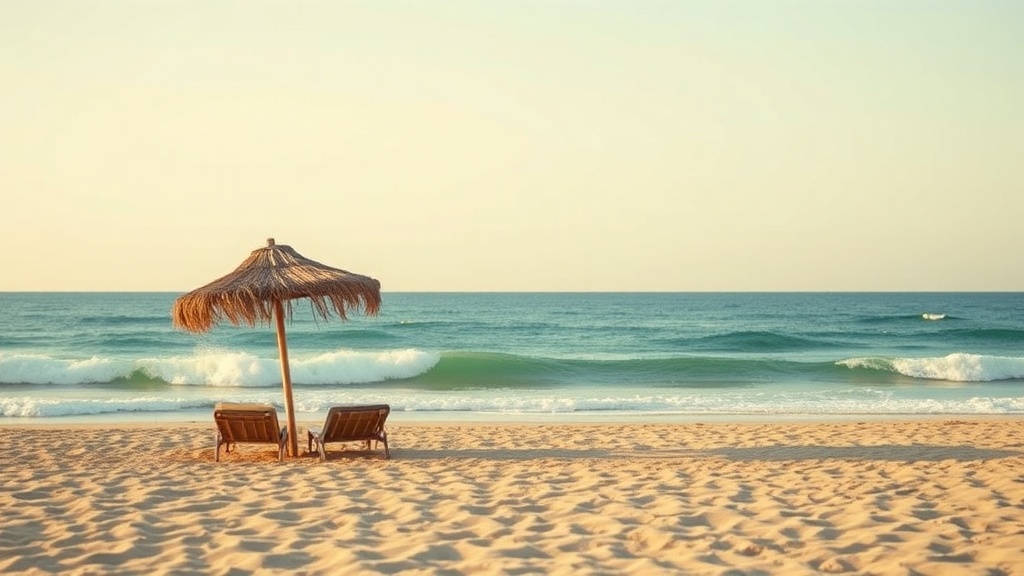
Why Your Beach Photos Look Flat (and What to Do Instead)

Most travelers believe stunning beach photography requires expensive gear and professional training. That's not quite right. Your smartphone can capture frame-worthy coastal images—you just need to understand light, timing, and a few compositional tricks that transform ordinary snapshots into images worth sharing (and printing).
This guide breaks down practical photography techniques specifically for beach and tropical environments. You'll learn how to work with harsh midday sun, why horizon placement matters more than you think, and how to capture water movement without blur. No fancy equipment required—just attention to detail and willingness to experiment.
Why Does Midday Sun Ruin My Beach Photos?
The beach at noon looks beautiful to your eyes but terrible in photos. Harsh overhead light creates dark shadows under eyes, blows out highlights on sand and water, and drains color from skies. Everyone's squinting. The images feel washed out and unflattering.
Here's the fix: shoot during the "golden hours"—the hour after sunrise and hour before sunset. The light becomes warm, directional, and soft. Shadows lengthen beautifully. Skin tones glow. Water reflects golden hues instead of blinding white glare. Early morning sessions also mean empty beaches, which solves another common problem: tourists photobombing your shots.
Can't shoot during golden hour? Overcast days are surprisingly perfect for beach photography. Clouds act as a giant softbox, diffusing harsh sunlight evenly across the scene. Colors become more saturated. You won't get dramatic sunsets, but you'll capture crisp detail without squinting subjects or blown-out backgrounds.
For midday shooting, position your subject with the sun behind them. Yes, this creates a backlit situation—but that's fixable. Use your phone's exposure lock (tap and hold on the screen) to meter for the subject's face rather than the bright background. The background might blow out slightly, but your subject won't be a dark silhouette. Alternatively, find natural shade—palm trees, beach umbrellas, or cliff overhangs provide soft, even lighting even at noon.
What's the Rule of Thirds (and Why Should You Break It)?
The rule of thirds divides your frame into a 3x3 grid. Place important elements along these lines or at their intersections. For beach shots, this typically means positioning the horizon on the upper or lower third line rather than dead center.
Here's where it gets interesting. A centered horizon works beautifully when you want symmetry—calm water creating perfect reflections, or a dramatic sky mirroring the sand below. But for most beach photography, place the horizon on the bottom third if the sky is spectacular (sunsets, storm clouds) or the top third if the foreground is interesting (tide pools, footprints in sand, interesting rocks).
Leading lines transform flat beach photos into dynamic compositions. Look for natural lines that draw the viewer's eye into the frame: receding waves creating parallel lines, a winding path through dunes, a wooden pier extending seaward, or a row of palm trees along the shoreline. Position these lines to start from a corner and guide toward your main subject.
Don't ignore negative space. Vast expanses of sand, sky, or water create mood and breathing room. A tiny figure standing on an enormous beach emphasizes scale and solitude. A single shell surrounded by smooth sand draws attention through isolation rather than clutter. Sometimes less really is more—though you'll never hear me use that phrase in a conversation about packing.
How Do I Capture Moving Water Without Blur?
Water moves constantly—waves crash, tides shift, streams flow toward the ocean. Your camera captures this differently depending on settings. The classic "silky water" effect—where waves look like mist—requires slow shutter speeds. Crisp, frozen droplets splashing against rocks need fast shutter speeds.
Smartphones handle this automatically in standard mode, freezing motion. For that silky effect, use your phone's "Long Exposure" or "Live Photo" mode (swipe up on a Live Photo and select "Long Exposure" on iPhone). Android users can download apps like Snapseed or use built-in pro modes.
Timing matters enormously for wave photography. Watch the pattern for a few minutes before shooting. Waves typically come in sets—three to seven waves, then a pause. Shoot just as the wave begins receding for that "glass" effect on wet sand. Shoot at peak crash for dramatic splash shots. Patience separates decent beach photos from extraordinary ones.
Include foreground elements to create depth. Wet sand reflecting the sky. Interesting rocks or shells. Footprints leading toward the water. These elements give viewers a "way in" to the image—they imagine themselves standing right there, feeling the sand between their toes.
What About Underwater and Splash Photography?
Underwater phone cases have become affordable and reliable. When shooting underwater, get close to your subject—water reduces clarity dramatically with distance. Shoot upward toward the surface for beautiful light rays. Early morning light penetrates clearer water than afternoon sun.
Half-underwater shots (split-level or "over-under" images) require dome ports—acrylic domes that push the waterline away from the lens. These create that iconic image showing underwater scenery and beachscape simultaneously. Companies like Telesin make affordable dome ports for popular smartphones.
How Can I Photograph Beach Wildlife Without Disturbing It?
Coastal wildlife—birds, crabs, tide pool creatures—adds life and authenticity to beach photography. But getting close enough for a good shot while respecting animal behavior requires technique.
Approach slowly and quietly. Sudden movements send shorebirds scattering. Move parallel to the animal rather than directly toward it—this feels less threatening. Use your phone's optical zoom (not digital zoom, which degrades quality) or crop later. The National Audubon Society recommends staying at least 100 feet from nesting shorebirds—your zoom lens bridges that gap.
Tide pools offer incredible macro opportunities. Starfish, anemones, tiny fish, and sea urchins create alien landscapes in miniature. Get low—really low, lying on your stomach if necessary—to shoot at the creature's eye level. This creates intimacy and eliminates distracting backgrounds. Avoid touching anything—oils from your skin harm sensitive marine life, and some creatures sting.
Early morning beach walks yield the best wildlife encounters. Nocturnal animals are still active. Daytime crowds haven't arrived. The light is perfect. You'll see behaviors—crabs feeding, birds hunting, fish schooling—that disappear once beachgoers arrive.
Should I Edit My Beach Photos?
Absolutely. Every professional photographer edits their images. Smartphones capture good data; editing brings out what your eyes actually saw. Don't overdo it—that oversaturated "Instagram filter" look feels dated and artificial.
Start with exposure and contrast. Beach photos often benefit from slight underexposure—bright sand fools meters into overexposing. Lift shadows slightly to recover detail. Add subtle warmth to combat blue color casts from open shade. Straighten horizons—crooked beaches look unprofessional and disorienting.
Consider cropping for impact. Remove distracting elements at the frame edges. Apply the rule of thirds if you didn't compose perfectly in-camera. Most importantly, develop your own style rather than copying trending presets. Your unique perspective—your eye for light and composition—is what makes your beach photography memorable.
Great beach photography isn't about gear. It's about patience, observation, and understanding how light behaves on sand and water. The best camera is the one you have with you—and now you know how to use it.